Scout types so you don't have to.
Introducing Scout: intuitive voice-to-text at the speed of thought.
The shift from typing to talking is here. Andrej Karpathy, former head of AI at Tesla and one of the most influential researchers in the field, tweeted that he’d stopped typing and started talking to his AI tools instead. It turned out to be more than a personal preference. Developers, writers, and professionals across industries are making the same shift.
Introducing Scout. Speech and language models are improving fast, and Scout is built to move with them. Accuracy improves as Scout layers your dictionary, workspace context, and App Styles on top of the base model. The result gets closer to what you’d type yourself.

Press a hotkey, talk, and your words appear at the cursor — in any app.
The blueprint
Scout is cloud-first. It plugs into the best available speech and language models and turns them into a seamless desktop experience:
- State-of-the-art Voice Dictation: Continuously updated with the best speech models available
- Dictionary: Custom dictionary with contextual biasing — your terms are injected into the speech model for acronyms, proper names, and anything it won’t know on its own
- Context Awareness: Reads where you’re working and injects that context into the model to improve accuracy
- App Styles: Per-app styles and fine tuning
- Magic Edit: A fast, voice-controlled writing editor powered by the latest language models
Audio streams directly from your desktop to the speech provider. It never passes through Scout servers. Your words aren’t stored. Scout keeps no transcript history.
Plans
- Scout Free: 2,500 words per week, works in every app, and includes Dictionary. A real way to use the app every day.
- Scout Pro: Unlimited dictation, Magic Edit, App Styles, Quick Phrases, and priority support. Better accuracy, no limits.
All users get the core desktop workflow: push-to-talk dictation, hands-free mode, Dictionary, Quick Phrases, and more.
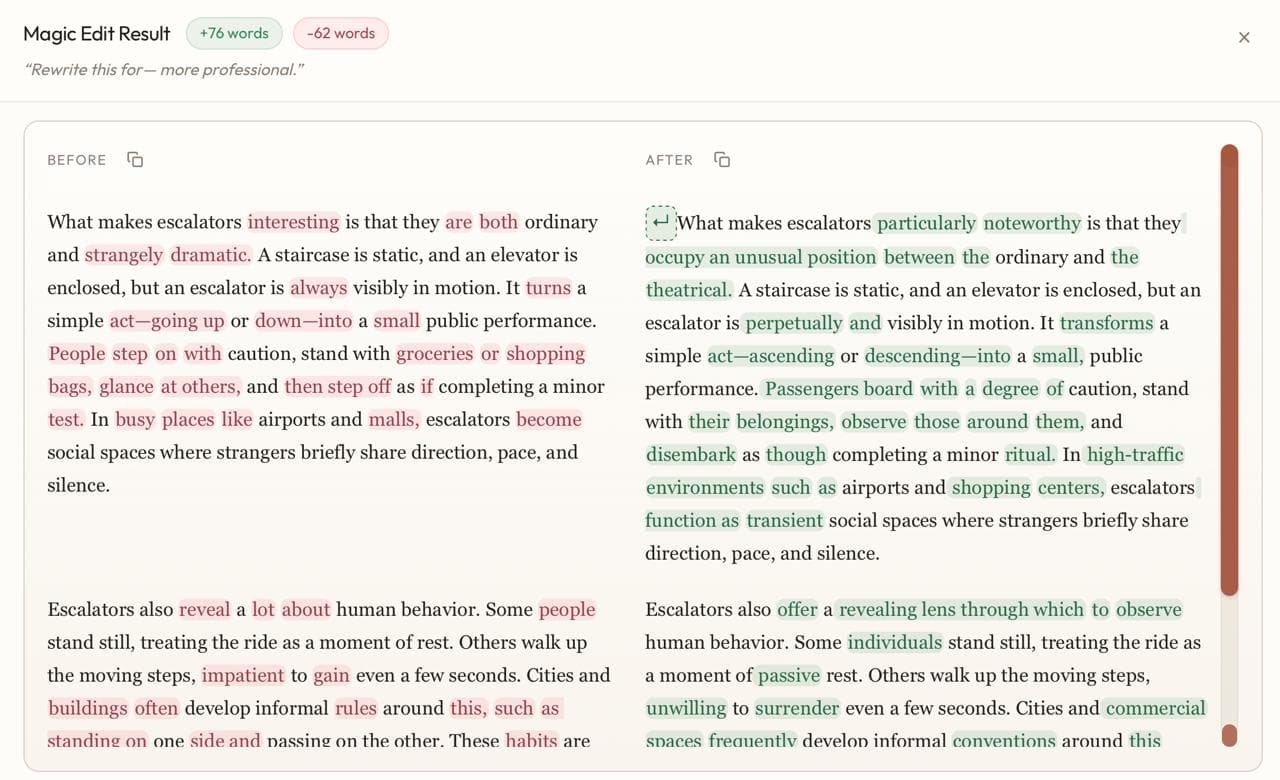
Say it once, refine it with your voice. Scout rewrites your text and highlights every change.
What’s on the horizon
There’s more coming. Here’s what we’re building next:
- Improved reliability for code editors, terminals, chat apps, text editors, and browsers
- Accuracy improvements across the desktop experience
- Team accounts with user management, seat controls, and admin features
- Compliance support, including HIPAA
- Enterprise capabilities — auditability, security controls, and deployment options as demand grows
Try Scout on desktop.
Download Scout for Windows or macOS and use the latest release in the workflow it was built for.